
Start with a small broken document
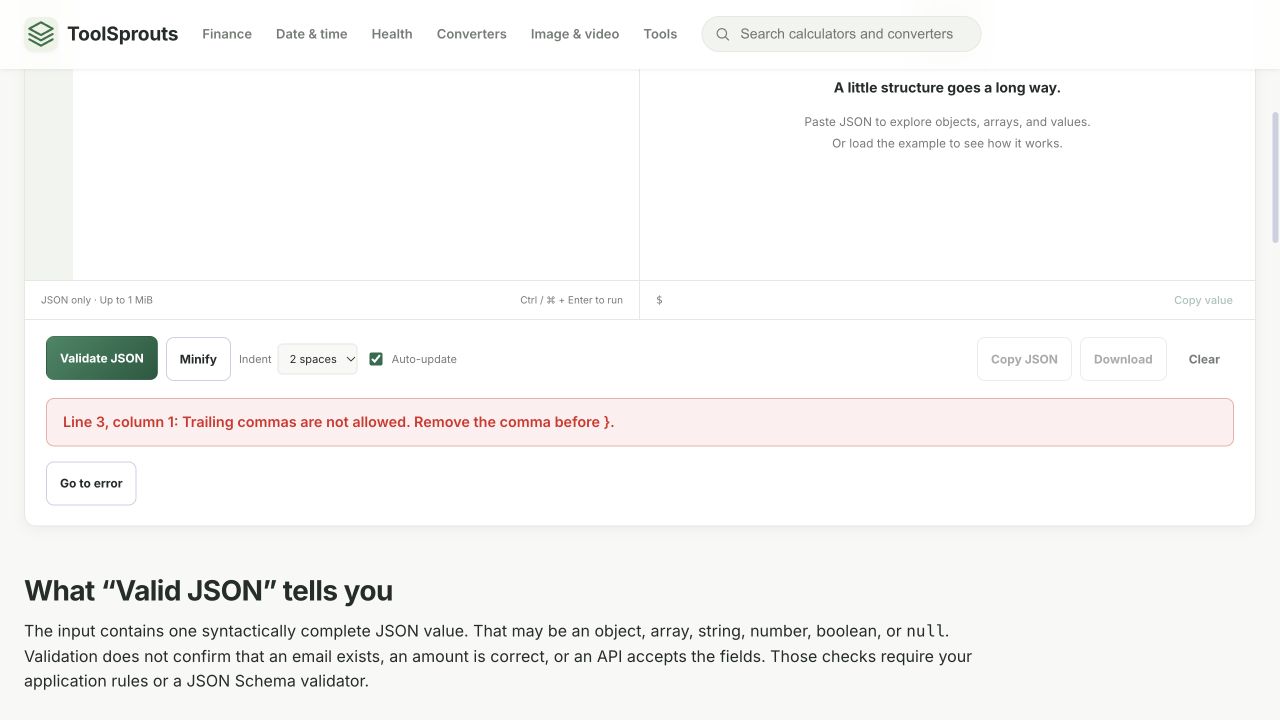
A copied configuration can fail because of one punctuation mark. The validator reports the first problem it detects; the highlighted character may be just after the actual mistake. In this example, the closing brace is where the parser discovers that the preceding comma has no property after it.
{
  "name": "ToolSprouts",
}- Paste the example into the JSON Validator.
- Select Validate JSON. The expected feedback is a trailing-comma error at line 3, column 1.
- Select Go to error and inspect the end of the previous line.
- Delete the comma after
"ToolSprouts", then validate again.
The corrected document is:
{
  "name": "ToolSprouts"
}
Its expected status is Valid JSON. Adding indentation alone would not have fixed the original comma.
Match the repair to the error
| Broken input | Correction | Reason |
|---|---|---|
{name:"Ada"} | {"name":"Ada"} | Property names require double quotes. |
{"a":1 "b":2} | {"a":1,"b":2} | Adjacent properties need a comma. |
{"enabled":True} | {"enabled":true} | Literal spelling is case-sensitive. |
{"items":[1,2] | {"items":[1,2]} | The outer object needs a closing brace. |
Make one correction, then run the check again. A second error may become visible after the first is fixed. Do not replace every quote or punctuation mark globally: a comma or quote can be part of a legitimate string.
Valid syntax is only the first check
{"role":"reader","role":"editor"} passes syntax checking here with a duplicate-property notice. It is still ambiguous for exchange between programs. Decide which role is intended and keep one property.
{"quantity":"five"} also has valid syntax. An order API might require an integer instead of that string. This tool checks syntax; it does not validate a JSON Schema, required fields, business rules, or whether a remote service will accept your request.
Finish with a controlled comparison
Once the document is valid, inspect the Tree view for unexpected nesting, then use Code to review the full output. Compare repaired values with the original source before copying or downloading. If the source is JavaScript, JSON Lines, or a format that permits comments, convert it deliberately to ordinary JSON rather than assuming it uses the same rules.
Use fictional examples when reporting an error. Include the smallest input that reproduces it, the displayed line and column, and your browser. The issue-report instructions explain what information helps reproduce a problem.
References and corrections
These examples describe the stated inputs and checks. They do not establish compatibility with every browser, encoder, or receiving service. Found a different result? Send a reproducible example.
Continue with another task
Format JSON without changing large numeric IDs
Make an API response readable while keeping the exact number text you received.
Read walkthrough DeveloperCompare API responses without losing IDs or type changes
Review a configuration or API change using exact numeric tokens and a path-by-path report, rather than a visual scan of two formatted documents.
Read walkthrough